
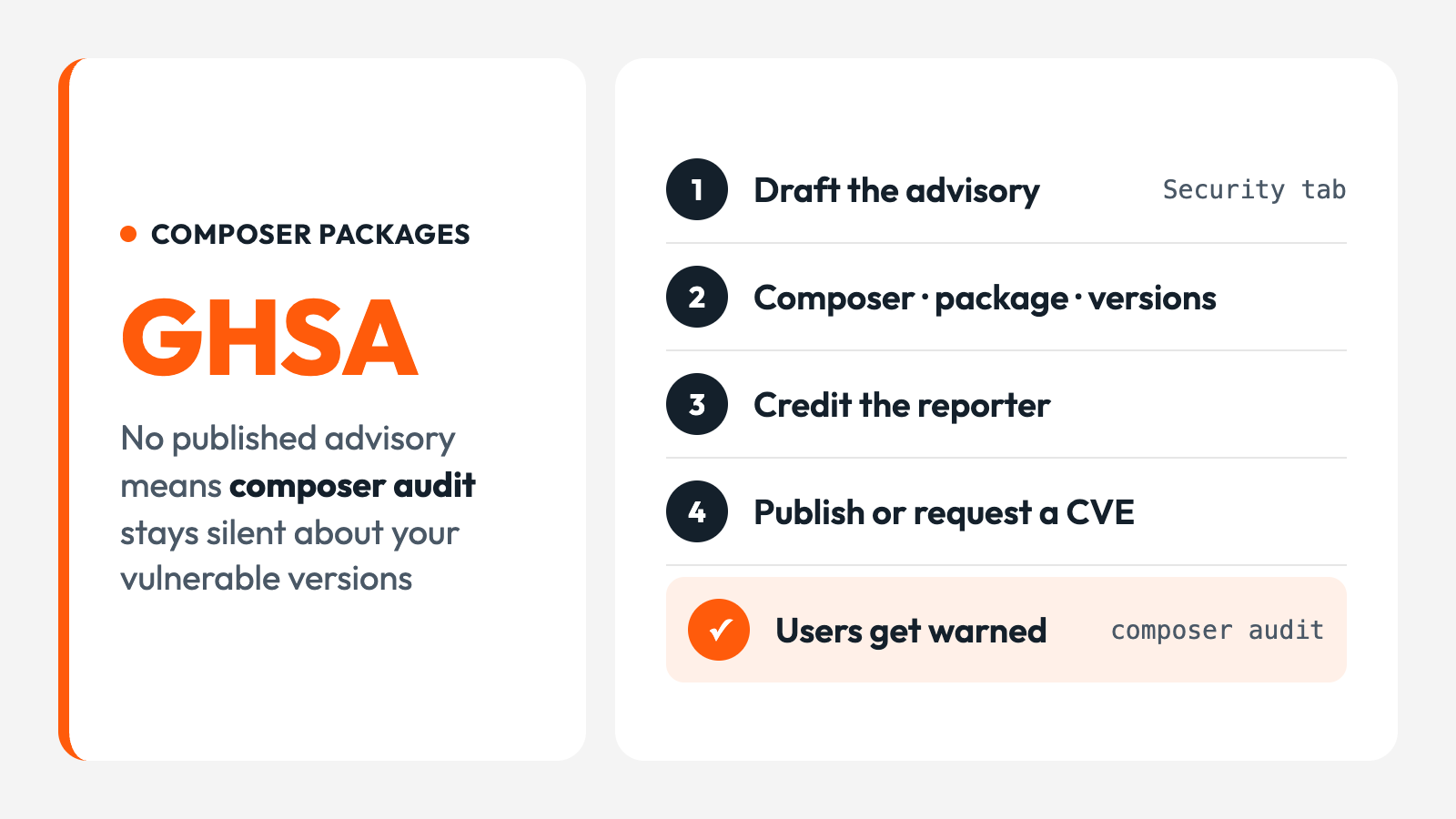
You received a vulnerability report, fixed it and tagged a release. Your users may still not know they are exposed: composer audit has nothing to report, and shops running an older version keep running it. The missing piece is a published security advisory. On GitHub, filling it in takes about fifteen minutes.
I report vulnerabilities in Magento extensions to their maintainers, and most of them fix the issue quickly. Far fewer publish an advisory afterwards. This post is the guide I send along with my reports.
Why a fixed release is not enough
Most teams find out about vulnerable dependencies through tools, not changelogs:
composer auditchecks installed packages against the advisory list on Packagist.org.- Dependabot alerts repositories that have alerts enabled, and can open upgrade pull requests where security updates are switched on.
- Agency and hosting scanners read the same databases.
Packagist.org takes its advisories from the GitHub Advisory Database and the FriendsOfPHP/security-advisories repository. FriendsOfPHP republishes advisories that were already announced somewhere else, and does not judge on its own whether a commit is a security fix. A fix without an advisory therefore rarely reaches these databases. Publishing one gives them the affected and fixed versions in a structured form.
Publishing does not hurt your reputation. Every maintained package of a reasonable size gets security reports eventually, and users judge a vendor by how it handles them. A clear advisory with a patched version shows that you fixed the problem and told people. A silent fix leaves them exposed without knowing it.
Before you start
Check that you can publish:
- You have the admin role on the repository, or the security manager role in the organization.
- The repository is public.
- The package is on Packagist.org. GitHub reviews Composer advisories only for packages from Packagist.org. If you distribute the package only through your own Composer repository, see packages outside Packagist.
- The fixed release is tagged and visible on Packagist.org.
Have these ready, usually from the report and your git history:
- the package name, exactly as in
composer.json, for exampleacme/module-example - the first fixed version, and the first affected version if you know it
- a link to the commit that fixes the issue
- who can exploit it: an anonymous visitor, a logged-in customer or an admin user
- the reporter’s GitHub username, to credit them
- the severity and weakness type (CWE) the reporter suggested, if they did
Step 1: open the advisory form
Go to the repository and click the Security and quality tab. If you cannot see it, open the … menu next to the other tabs.

In the left sidebar, under Reporting, click Advisories. You can also open github.com/<owner>/<repo>/security/advisories directly.
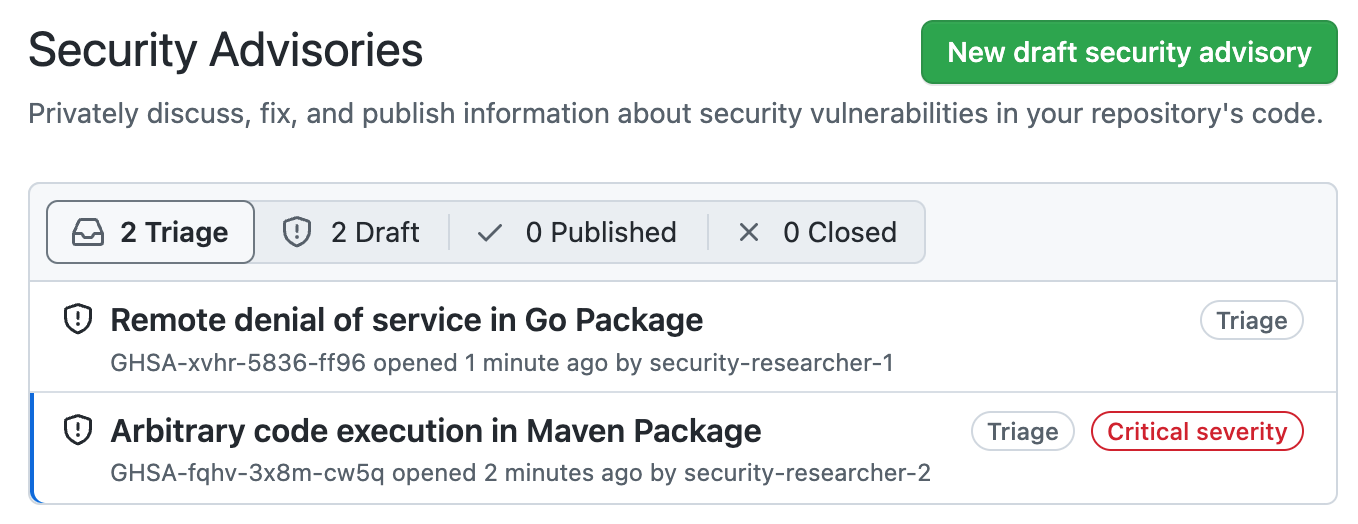
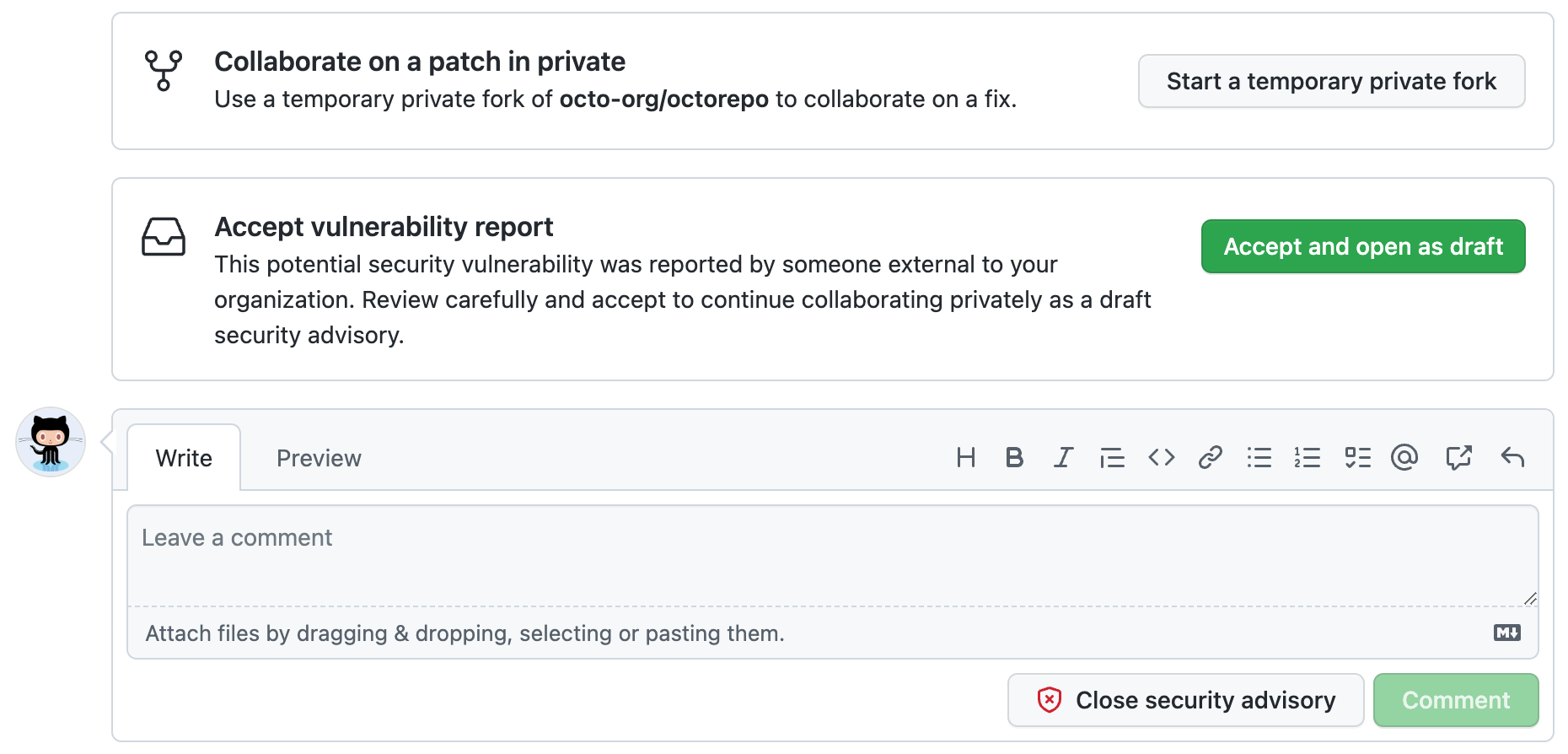
- The report came through GitHub (private vulnerability reporting): it is already in the list, in the Triage tab. Open it and click Accept and open as draft. Most fields are filled in already, so review them and continue with step 2.
- The report came by email or another channel: click New draft security advisory.
Step 2: fill in the form
Title. What an attacker can do, and where. Avoid “Security fix” or “Improvements”. For example: “Path traversal in the admin log download action allows reading arbitrary files”.
CVE identifier. If the issue has no CVE yet, choose Request CVE ID later. GitHub assigns CVE numbers for free, but the request adds a waiting step before you can publish, explained in step 4.
Description. Who can exploit it, what they can do, the fixed version and any workaround. Leave out a working exploit. This template works for most reports:
### Impact
A [visitor / logged-in customer / admin user]
can [what they can do] through
[route, controller or GraphQL query].

### Patches
Fixed in 2.4.1. Upgrade with:
composer require acme/module-example:^2.4.1

### Workarounds
[A setting or web-server rule that blocks
the route, or "None".]

### References
- Fix: https://github.com/<owner>/<repo>/commit/<sha>
Link to the commit that contains the fix, not to a tag or a compare range. Tags can move, and nobody can verify a fix inside a compare range of hundreds of commits.
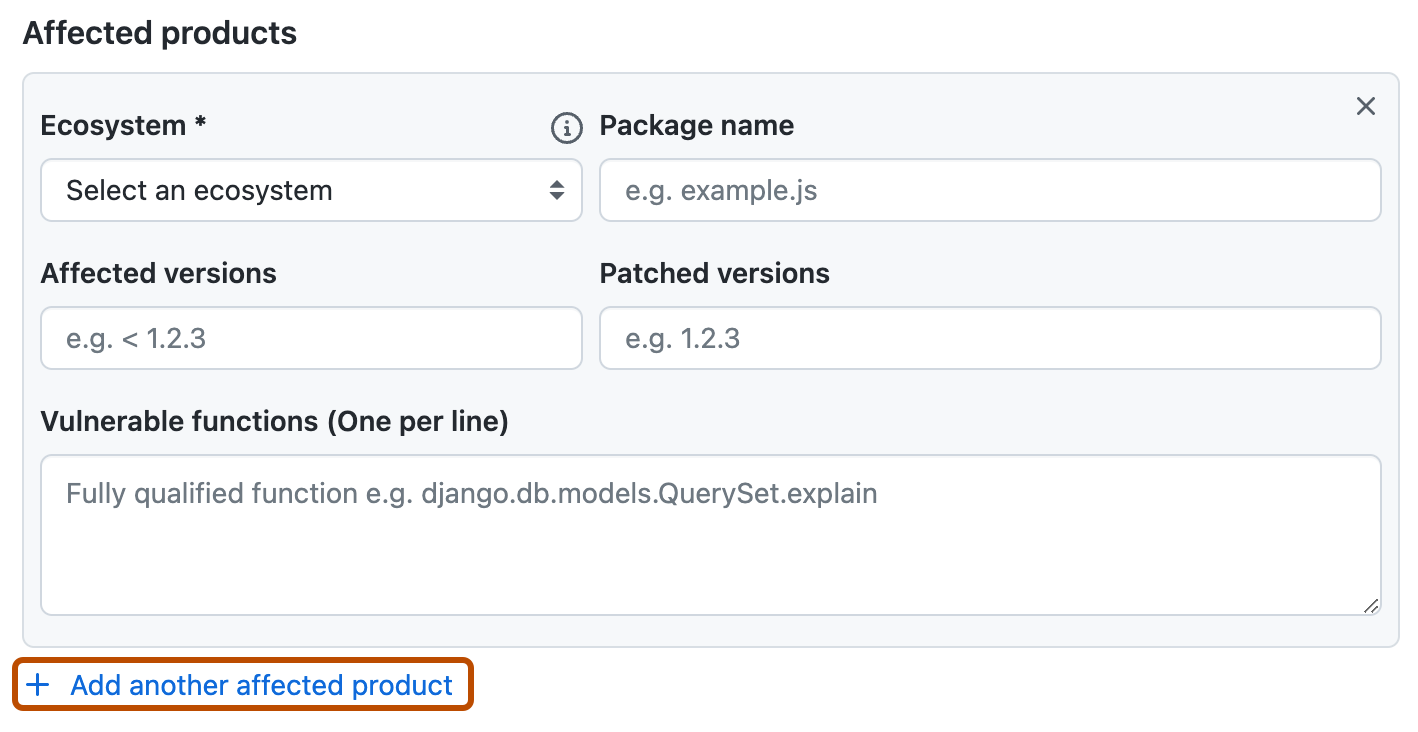
Affected products. This is where Composer users get matched to your advisory, so it has to be exact.
- Ecosystem: Composer.
- Package name: exactly as in
composer.json, with the vendor prefix. - Affected versions: one range per field. If every release before the fix is affected, write
< 2.4.1. If the bug arrived in 2.0.0, write>= 2.0.0, < 2.4.1. If you are not sure when it arrived, ask the reporter which versions they checked. Do not leave a space inside>=or<=. - Patched versions: the first release that contains the fix, for example
2.4.1.
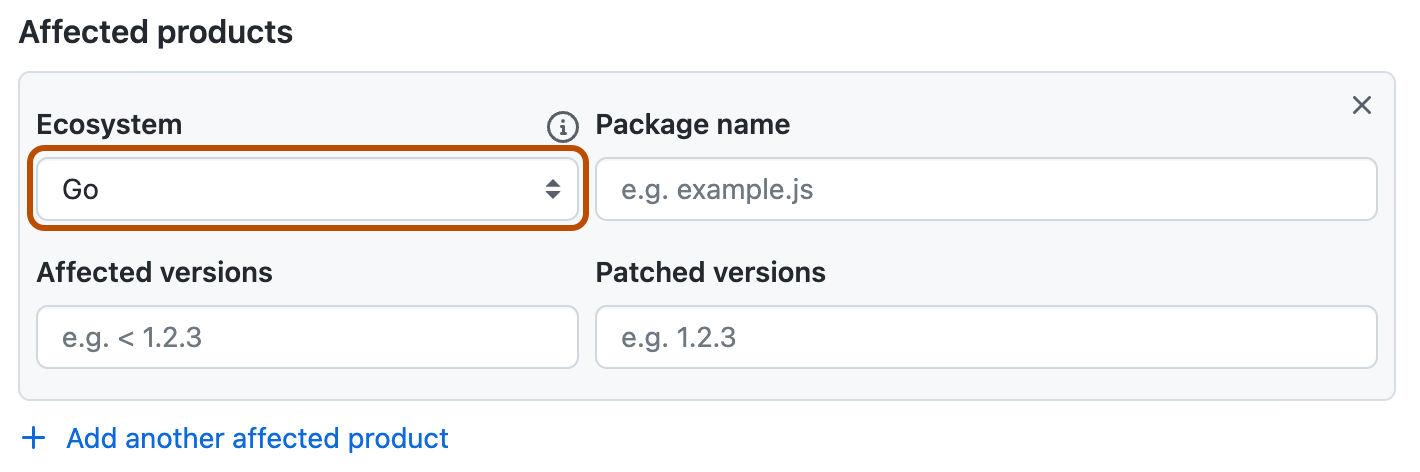
Only if you fixed several release lines, for example 1.x and 2.x: click + Add another affected product and fill in one block per line.
- Block 1: affected
>= 1.0.0, < 1.6.5, patched1.6.5 - Block 2: affected
>= 2.0.0, < 2.4.1, patched2.4.1
A single range like < 2.4.1 would also mark the patched 1.6.5 as vulnerable, and users on 1.x would get warnings they can only clear with a major upgrade.
Severity. Pick a level from the dropdown: Low, Moderate, High or Critical. The CVSS calculator is optional; use it if the reporter gave you a CVSS vector. When the attacker needs admin access, the impact still counts: an admin who can read any file on the server is a problem.
Weaknesses (CWE). The type of weakness. Type a keyword such as “path traversal”, “cross-site scripting”, “SQL injection” or “authorization” and pick the closest match. The report usually names it.
Stuck on the wording? An AI assistant can draft the title, description, CWE and severity from the report and the fix commit. See let AI draft the text below.
Step 3: credit the reporter
Under Credits, search for the reporter’s GitHub username and choose Finder for the person who discovered the issue. If you do not have their username, ask them. They get an invitation when you save the draft, and their name shows on the advisory once they accept and the advisory is published.

If this guide came with a report from me: my GitHub username is lbajsarowicz. Please choose Finder.
Click Create draft security advisory. The draft is visible only to repository admins, security managers and collaborators you invite. If you still need to work on the fix privately with the reporter, the draft offers a temporary private fork.
Step 4: publish
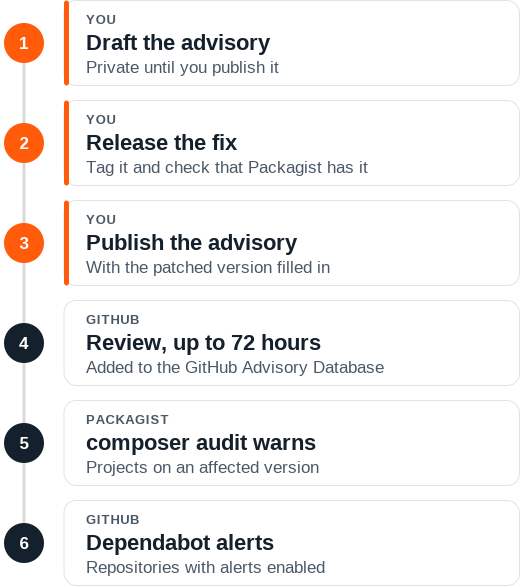
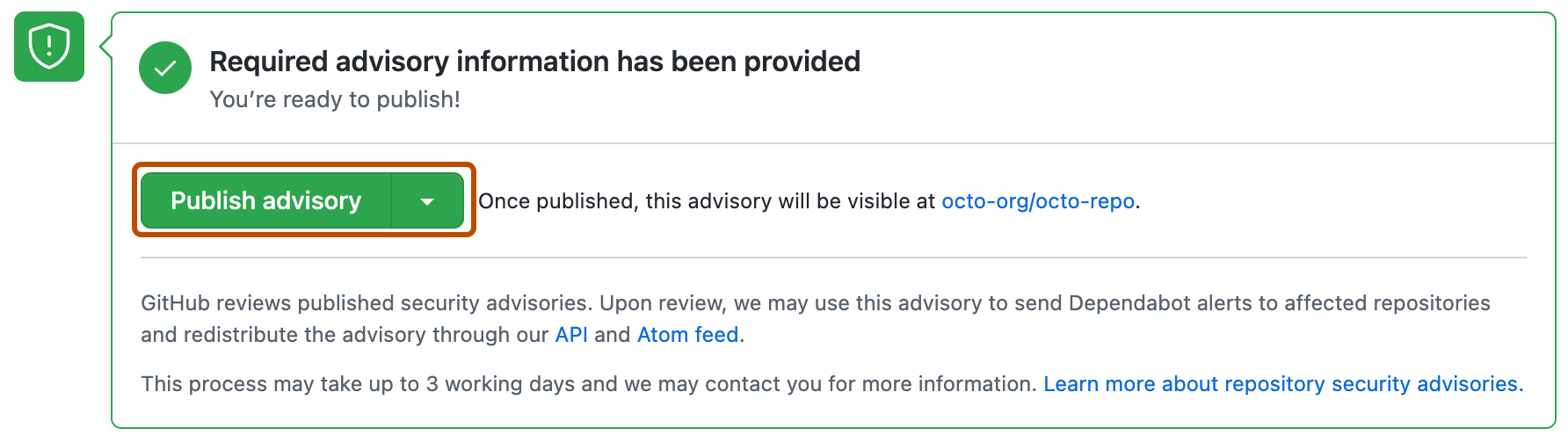
Check once more that the fixed version is on Packagist.org. Then open the draft from the Advisories list, scroll to the bottom and click Publish advisory.
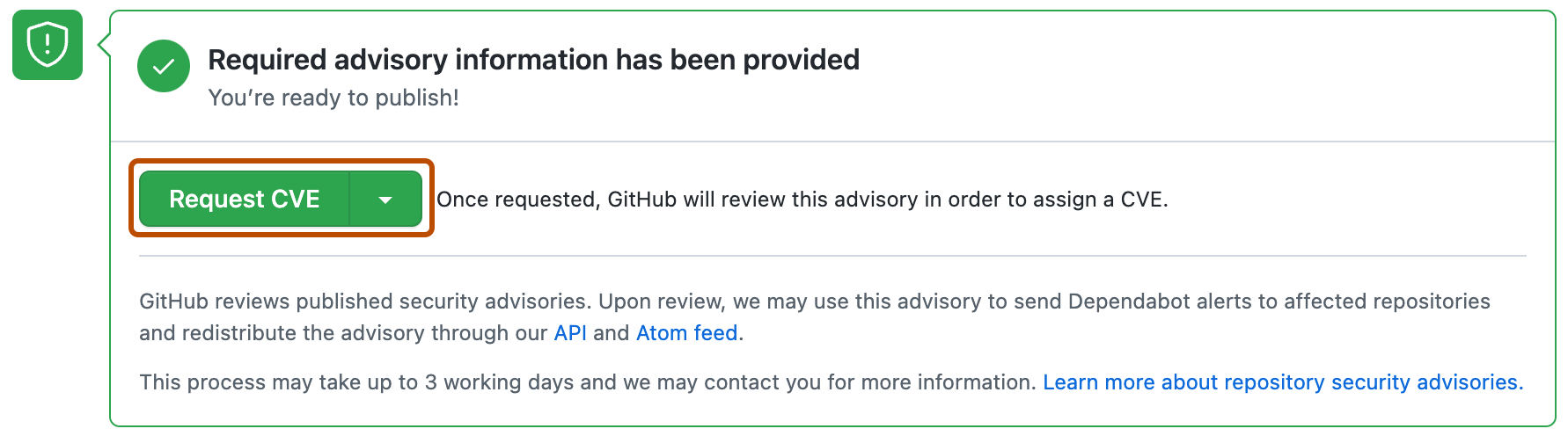
Requesting a CVE does not publish the advisory. If you chose Request CVE ID later, the button at the bottom reads Request CVE. GitHub reviews the request, usually within 72 hours, and reserves a CVE number while the advisory stays private. Come back afterwards and click Publish advisory, or your users never see it.
Publishing deletes the temporary private fork, if you used one.
Step 5: check that it arrived
Right away: open github.com/<owner>/<repo>/security/advisories in a private browser window. The advisory should be listed as published.
Within about 72 hours: GitHub reviews each published advisory before adding it to the GitHub Advisory Database. After that:
- The advisory shows on github.com/advisories for your package, marked GitHub reviewed.
- Packagist lists it. Open
packagist.org/api/security-advisories/?packages[]=acme/module-exampleand look for your advisory under your package name. An empty list means it has not arrived yet. composer auditreports it in a shop or test project that has an affected version installed. Running it inside the package’s own repository shows nothing, because the package is not one of its own dependencies.
Let AI draft the text
An AI assistant handles the wording well: GitHub Copilot Chat, ChatGPT, Claude or whatever your team already uses. Give it the vulnerability report and the fix commit, and ask for a draft:
Here is a vulnerability report and the commit
that fixes it. Draft a GitHub security advisory
for the Composer package acme/module-example:
- a title that says what an attacker can do
- a description with Impact, Patches,
  Workarounds and References sections
- the CWE and a severity level, with a one-line
  reason for each
Fixed in: 2.4.1. First affected version: 2.0.0
(or "all earlier versions").
Do not include exploit code.
Tell it the affected versions yourself. An assistant cannot work out from a fix commit when a bug was introduced, and it will guess.
Two rules. Until the advisory is published, the details are confidential, so use an assistant your company allows for private code, not a free consumer account that may train on your input. And read everything it writes: you decide the severity and the affected versions, the assistant only drafts.
Make the next report easier
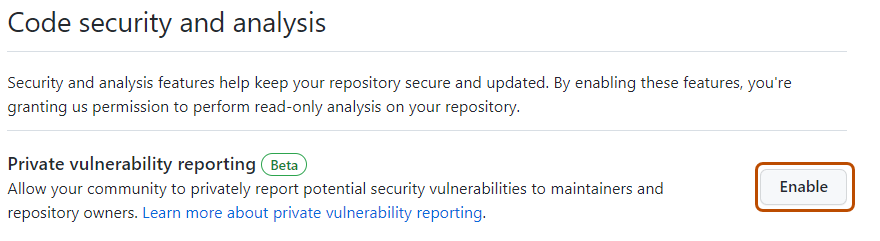
Enable private vulnerability reporting. It is free for public repositories: Settings → Advanced Security → Private vulnerability reporting → Enable.
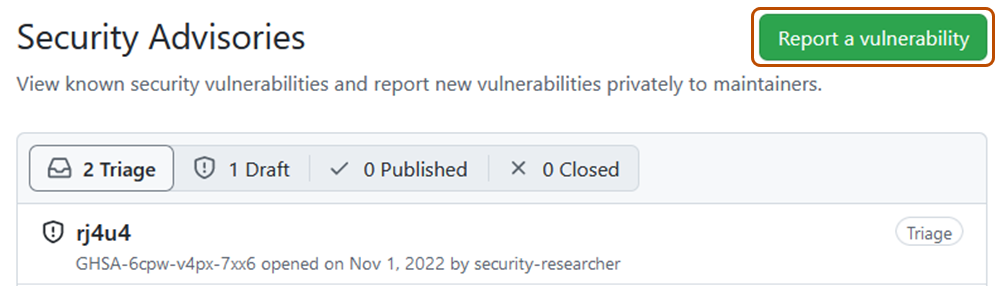
Researchers then get a Report a vulnerability button on the Advisories page. Their report arrives as a draft advisory with most fields filled in, so you review it, accept it, complete it and publish.
Also add a SECURITY.md that says where to report, which versions get fixes and how fast you usually answer. Watch the repository with All Activity or Custom → Security alerts so new reports reach your inbox.
Packages outside Packagist
If you sell or distribute a package only through your own Composer repository, the GitHub Advisory Database will not review it, and composer audit against Packagist.org cannot see it. What you can do today:
- If a free or older edition of the same package is on Packagist and affected, publish the advisory for that package name.
- Publish a security notice on your website or in your public GitHub repository, with the affected versions, the fixed version and credit for the reporter, and send the link to your customers.
Making your own Composer repository serve advisories to composer audit is possible, but it is a separate engineering task.
Common questions
The issue needs admin access to exploit. Is an advisory still needed? Yes, if the fix closes a real security boundary, for example an admin role that can read files outside the module or run code it should not. Admin-only access lowers the severity, but the impact still counts. If the change only hardens code and nothing was exploitable before it, no advisory is needed. That call is yours.
Can the reporter publish it for me? No. Only repository admins and security managers can publish. With private vulnerability reporting enabled the reporter can file the draft, but publishing stays with you.
When should I publish? When the fixed version is available on Packagist. Most coordinated disclosures publish the advisory with the release or within a few days of it, and leave exploit details out until users had time to upgrade.
Can I do this with the API? Yes. The repository security advisories API creates a draft from JSON, including credits, and publishes it with state: published. A fine-grained token needs the Repository security advisories write permission.
References
- GitHub Docs: Creating a repository security advisory
- GitHub Docs: Publishing a repository security advisory
- GitHub Docs: About repository security advisories and CVE requests
- GitHub Docs: Best practices for writing repository security advisories
- GitHub Docs: Configuring private vulnerability reporting for a repository
- GitHub REST API: Repository security advisories
- Packagist: Security advisories API